

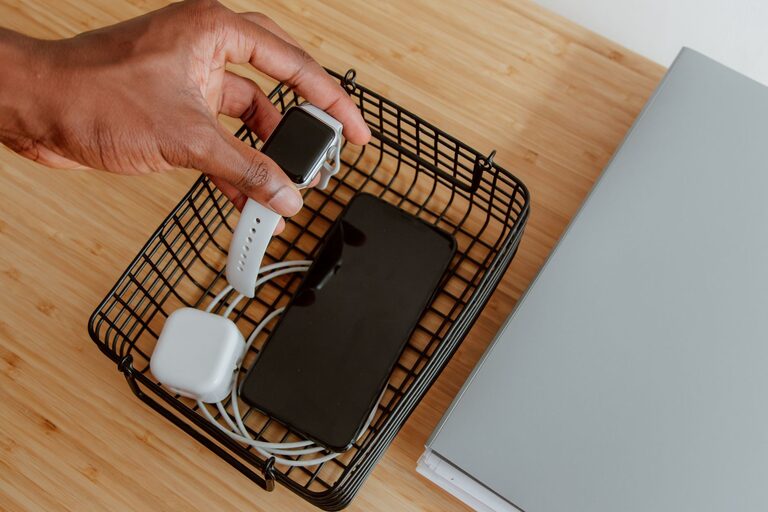
Setting up a dedicated charging station for your devices is a smart way to keep your home or workspace organized and ensure all your gadgets are fully powered when you need them. With multiple smartphones, tablets, laptops, and other electronics in use these days, having a central spot for charging reduces clutter, keeps cords untangled, and saves time.
In this guide, we’ll walk you through the steps to create an efficient charging station that fits your needs and space, no matter if it’s for your home office, living room, or kitchen.
Why Set Up a Charging Station?
Before diving into the setup, it’s helpful to understand the benefits:
– Organization: Keeps cables and devices in one neat area.
– Efficiency: Charges multiple devices simultaneously.
– Safety: Reduces hazards from loose cords and outlets.
– Convenience: Easy access to devices and chargers.
– Aesthetics: Creates a clean, clutter-free look.
Step 1: Choose the Right Location
Start by selecting a suitable spot for your charging station. Consider these factors:
– Accessibility: Pick a place where you often use your devices or spend time, such as a desk, countertop, or entryway table.
– Power Source Availability: Make sure the spot has easy access to electrical outlets.
– Space: Ensure enough room to hold your devices and chargers comfortably.
Popular locations include a home office desk, kitchen counter, bedside table, or a dedicated charging nook near the home’s entrance.
Step 2: Determine How Many Devices You Need to Charge
Take stock of all the devices you want to include in your charging station. Typical devices may include:
– Smartphones
– Tablets
– Laptops
– Smartwatches
– Wireless earbuds
– E-readers
– Portable power banks
Knowing the number and type of devices helps you decide on the type and number of chargers and charging ports needed.
Step 3: Select Charging Equipment
Multi-Port Chargers
Multi-port USB chargers are excellent for charging several devices simultaneously from a single power outlet. Look for chargers that:
– Support fast charging (USB-C Power Delivery or Quick Charge)
– Have enough USB-A and USB-C ports for your devices
– Include safety features like surge protection and temperature control
Charging Stations and Hubs
Consider a charging station or hub that organizes devices on stands or slots while charging, keeping them upright and visible.
Wireless Chargers
If your devices support wireless charging, a multi-device wireless charging pad can reduce cable clutter.
Cable Management Accessories
Gather cable organizers, clips, or sleeves to keep cords tidy and untangled.
Step 4: Arrange Your Charging Station
Follow these tips for arranging your charging station neatly:
– Use a Charging Dock or Stand: Position devices upright or angled for easy viewing.
– Label Cables: Tag each cable for quick identification.
– Hide Extra Cables: Use cable ties or sleeves to bundle and conceal excess lengths.
– Secure Chargers: Use non-slip pads or adhesive clips to keep chargers stationary.
Step 5: Safety Considerations
Keep your charging station safe with these precautions:
– Avoid overloading outlets or power strips.
– Use certified chargers and cables to prevent damage.
– Keep the charging area dry and away from heat sources.
– Ensure proper ventilation around chargers to prevent overheating.
Step 6: Personalize Your Charging Station
Customize your space to match your style and make it enjoyable to use:
– Use decorative trays or boxes to hold chargers and cables.
– Incorporate a small lamp or plant nearby for a pleasant environment.
– Choose color-coordinated cables or accessories to match your decor.
Step 7: Maintain Your Charging Station
Regular upkeep keeps your station efficient:
– Clean dust and debris from chargers and outlets.
– Check cables and chargers for wear or damage.
– Rearrange or upgrade equipment as your device collection changes.
Bonus Tips for a Better Charging Experience
– Charge Overnight: Set devices to charge during low-use times.
– Use Smart Plugs: Automate charging schedules with Wi-Fi plugs.
– Keep Backup Chargers: Have spare chargers for travel or emergencies.
– Update Firmware: For wireless chargers and smart devices, keep software updated.
—
Creating a dedicated charging station can simplify your daily routine and reduce clutter. By following these steps, you’ll enjoy a neat, functional spot that keeps all your devices powered up and ready any time. Whether you prefer a minimalist setup or a fully equipped charging hub, the key is organization, safety, and convenience. Happy charging!